Creating Frequencies and Discounts
Shopify decides what each company location can buy and at what price (catalogs). Autoship adds subscription options — a frequency, and optionally a discount — to the products in those catalogs. Options are set on products; companies and locations inherit them unless you give an account its own.
1. Catalogs and pricing: what Shopify decides
What a location needs before Autoship can create a recurring order
- At least one catalog assigned to it. A location with no catalog sees no products when its buyer logs in, so there is nothing to subscribe to.
- A publication on that catalog. The publication controls which products the buyer can see. A catalog without a publication shows nothing, even if it has prices.
- The subscription-eligible products in that catalog. A product that isn't in the location's catalog won't appear on the storefront or in the subscriber portal.
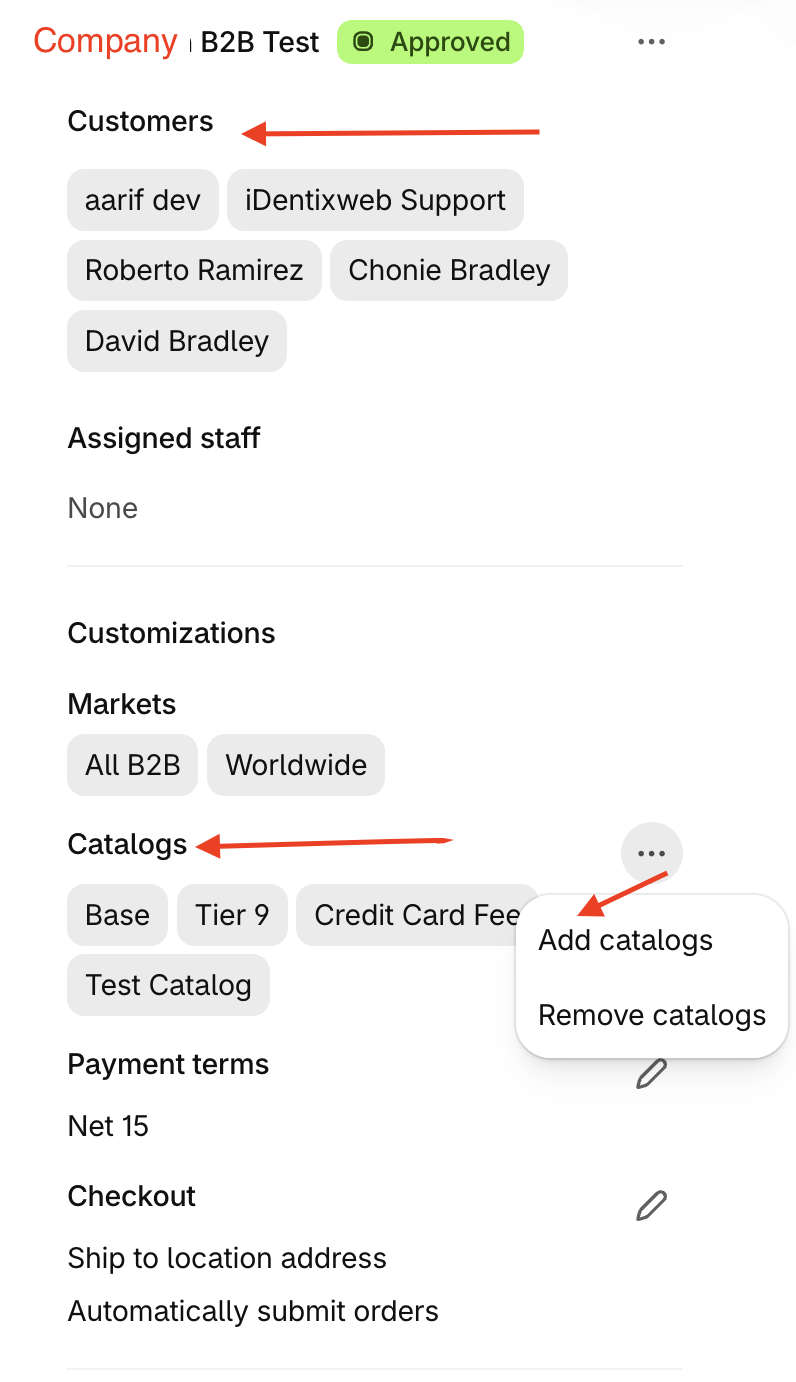
You can view which catalogs a customer has access to from their company profile. The above image shoes that this company is assigned 4 catalogs. Customers>Companies
Shopify docs: Catalogs and pricing in B2B · Customizing B2B pricing using catalogs
Catalogs are required; custom pricing is optional
How Autoship uses catalog pricing
- The catalog price is the base price. A logged-in buyer sees their location's catalog price, and any Autoship discount is calculated from that price — not from your D2C retail price.
- Renewals follow the catalog. Each renewal is created at the location's current catalog price at the time it processes, with volume pricing applied the way Shopify applies it at checkout. The Autoship discount is its own line, so the savings a subscriber sees is the subscription discount only.
- Price changes reach the next renewal. There is no grandfathering of old prices. When changing prices in Shopify, you'll need to sync to Autoship. See [Product Settings].
One catalog per customer? Don't.
More than one currency
2. What catalogs don't decide: subscription eligibility
Products have two settings in Autoship that sound similar but do different jobs. For more details see [Product Settings].
- Add to Scheduled Order — whether buyers can add the product to a Scheduled Order themselves (subscriber portal, add-product search). Off means only your team can add it.
- Process Scheduled Order — whether the product is included when Scheduled Orders renew, for anyone. Off switches the product off for every Scheduled Order;
3. Frequencies and discounts: the options
Your B2B defaults are each product's starting options
Navigate to Autoship>Settings>Frequencies:
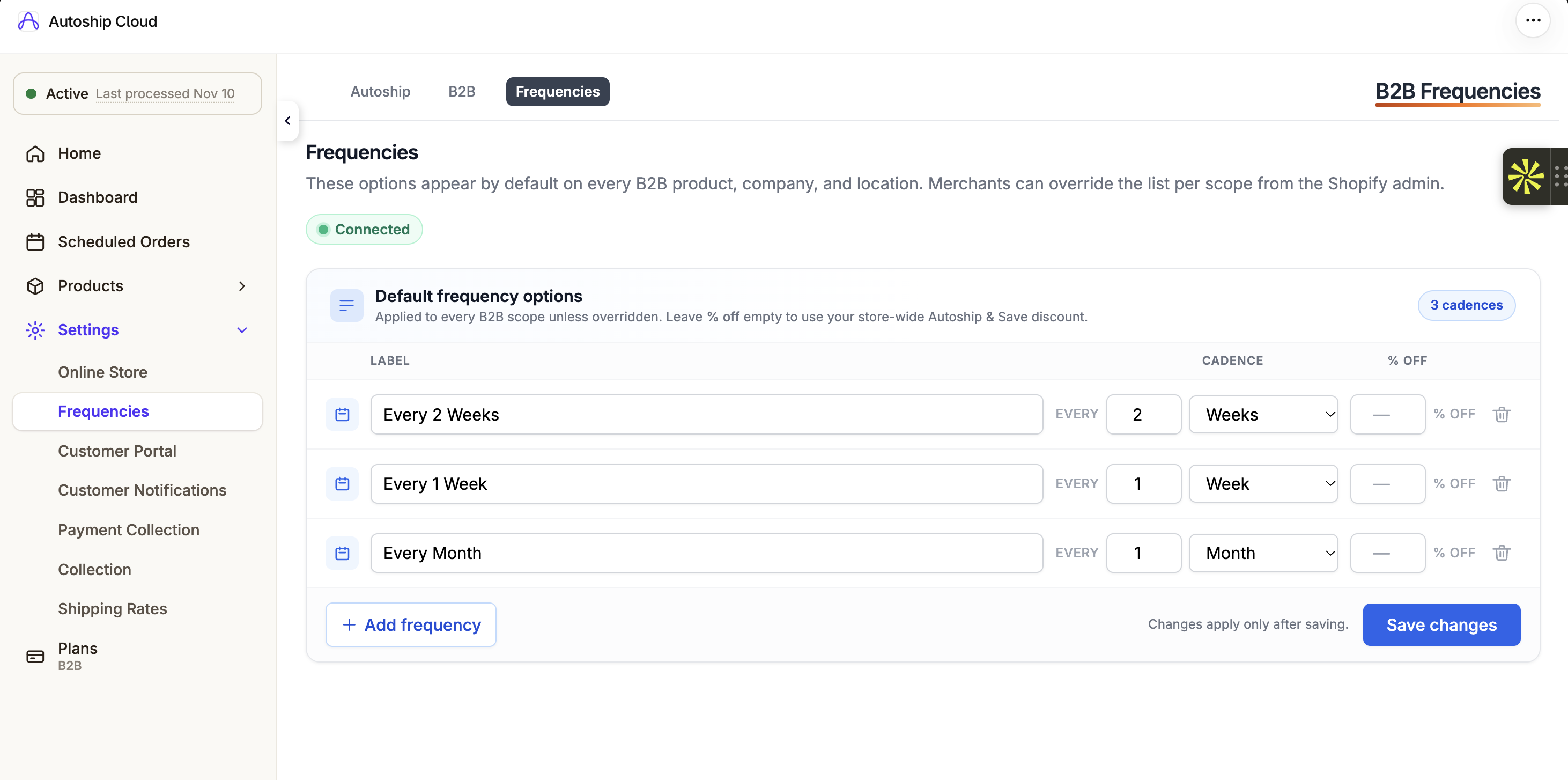
The three frequencies are all this b2b store is choosing to offer, none with an additional autoship discount configured. Defaults apply to products only. They are never copied onto companies or locations.
Where the discount shows
- On the product page, in the B2B Autoship app block (Purchase options style shows the subscribe & save price, the savings badge, and the discount in the frequency label).
- At checkout, on the items the buyer chose to Autoship.
- In the subscriber portal, when a buyer changes the frequency of a Scheduled Order.
4. Which account gets which options — the short version
Offering different frequencies to different accounts
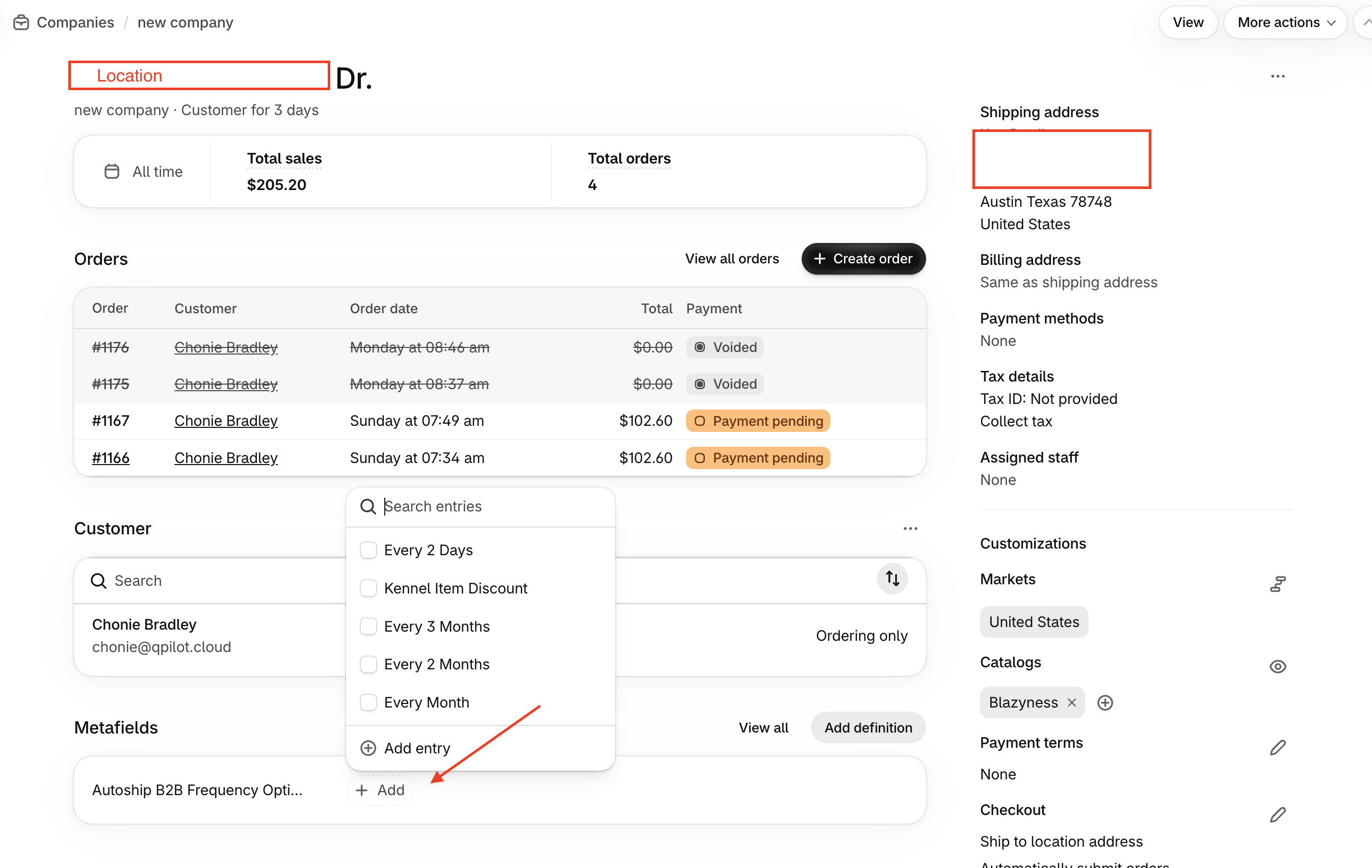
Navigate to the Company Profile from the Shopify Menu: Customers > Companies. A unique frequency for a Company is set via the metafields on the Company Profile.
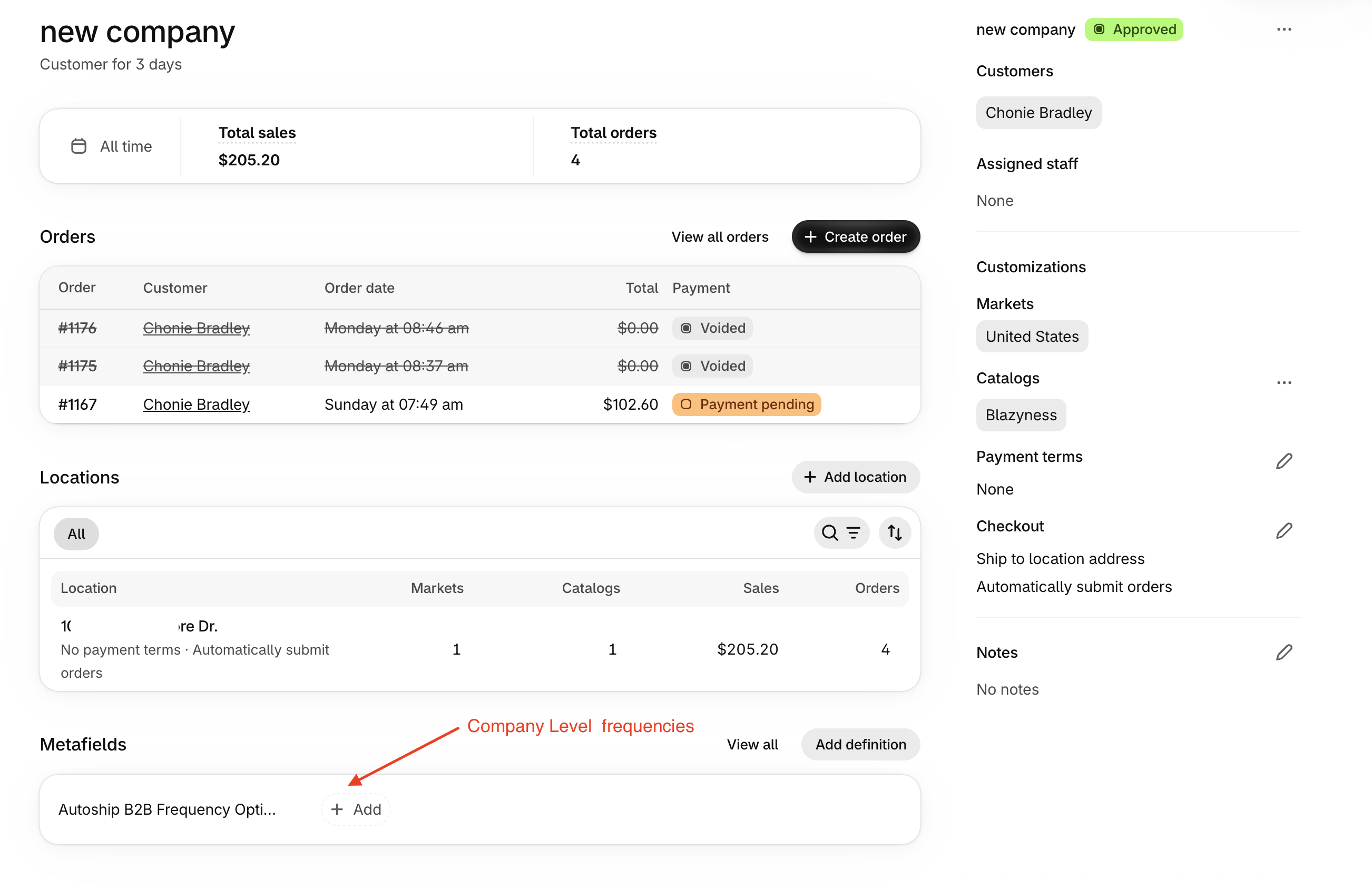
The lowest level of frequency that can be set is on the location level. From the Company Profile, Select a Location and add the frequency metafield here: