
Can you run Autoship B2B on your Shopify store?
Autoship B2B lets your wholesale accounts place recurring orders: SKUs and bundles on a set cadence, at their own pricing, on their own payment terms. Autoship is a fully-automated subscription solution for B2B: no surprise reorders, and no need to be re-keying a purchase order every month.
It runs on top of Shopify's native B2B features. Autoship reads the companies, locations, pricing and payment terms you've already set up in Shopify, so if you're already selling to wholesale accounts through Shopify B2B, you're close to ready.
New to Shopify B2B? If you haven't set up companies, locations or catalogs in Shopify yet, start with Setting up Shopify B2B instead of this article. It walks through building your first wholesale account from scratch, with links to Shopify's own guides — and we're happy to help along the way.
What should already be true
Five things. Each one links to the detail below, with how to check it in your Shopify admin.
- Your store is on Shopify Plus
- You know how your renewal orders will get paid
- You're already selling to at least one wholesale account
- That account has a catalog it can buy from
- A buyer for that account can already check out on your storefront
If all five are true, you're ready to install Autoship and start onboarding — see Next steps at the bottom. * * *
1. Your store is on Shopify Plus
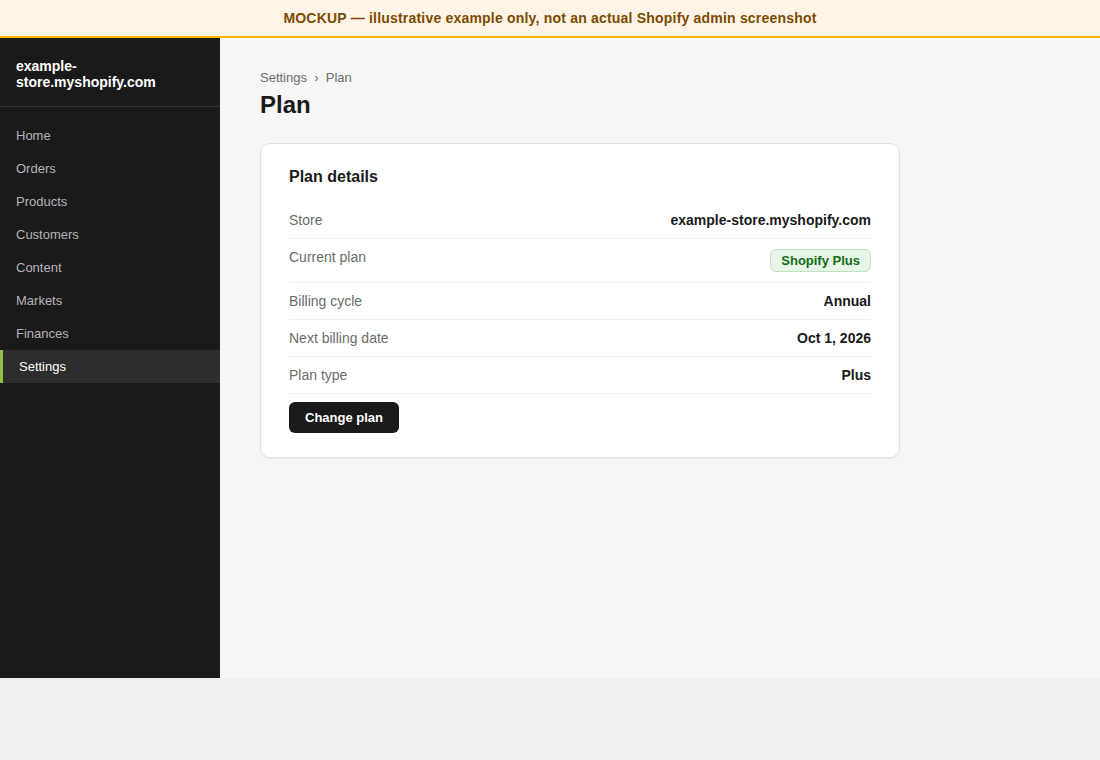
Autoship B2B is available on Shopify Plus only.
Shopify offers B2B on all of its plans, but stores that aren't on Plus are limited to three B2B catalogs for the whole store. A catalog is how you give an account its own price list, so three catalogs means at most three pricing arrangements across your entire wholesale book. Most wholesale programs outgrow that quickly — tiers, regions, distributors and negotiated accounts each want their own pricing.
Rather than have you build a recurring wholesale program on a foundation you'll hit the ceiling of in a quarter, we support Plus, where catalogs are effectively unlimited.
How to check: in your Shopify admin, go to Settings → Plan.
Not on Plus? Let's chat about your b2b program and when it makes sense to upgrade to b2b plus. If you have tough Shopify questions, we will bring a Shopify partner on the line.
2. You know how your renewal orders will get paid
Autoship creates renewal orders the same way no matter how an account pays. What changes is whether payment is collected automatically — and that's decided by what each company location is already set up for in Shopify.
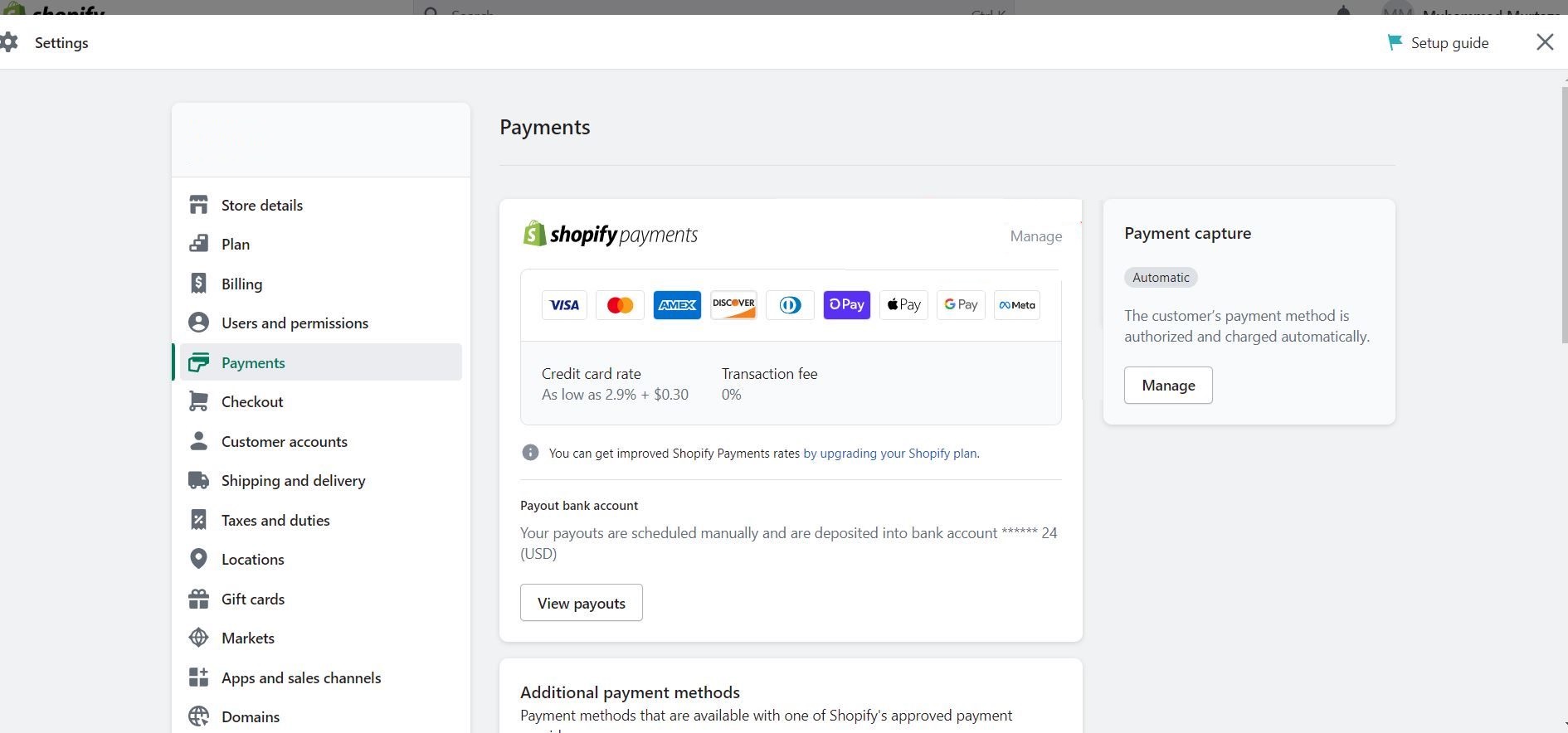
- Automatic collection. If your store uses Shopify Payments, your buyers can save a credit card or bank account (ACH) at checkout. Autoship charges that saved payment method each time a renewal order is created. Fully hands-off renewals. You can combine credit card and ACH with net terms.
Helpful hint: Shopify requires at least 100 orders before ACH will approved for your B2B store.
- Invoice / AR. If an account pays on net terms through your invoicing process — or your store uses a third-party payment gateway, which doesn't support saved B2B payment methods — renewal orders are still created on the location's payment terms, and you collect payment the way you do today. Nothing charges automatically.
These aren't either/or. One account can be on Net 30 and have a saved card that Autoship charges automatically; another account on the same store can be invoice-only with no saved payment method. Autoship follows whatever each company location is set up for. Just know what you expect for each account before you launch, because Autoship will automate that expectation.
How to check: Settings → Payments in your Shopify admin — look for Shopify Payments as an active provider. Payment terms and saved payment methods are set per company location (see section 3).
3. You're already selling to at least one wholesale account
Autoship does not create your wholesale accounts. It reads the ones you've already built in Shopify. If they aren't there, there's nothing for a recurring order to attach to.
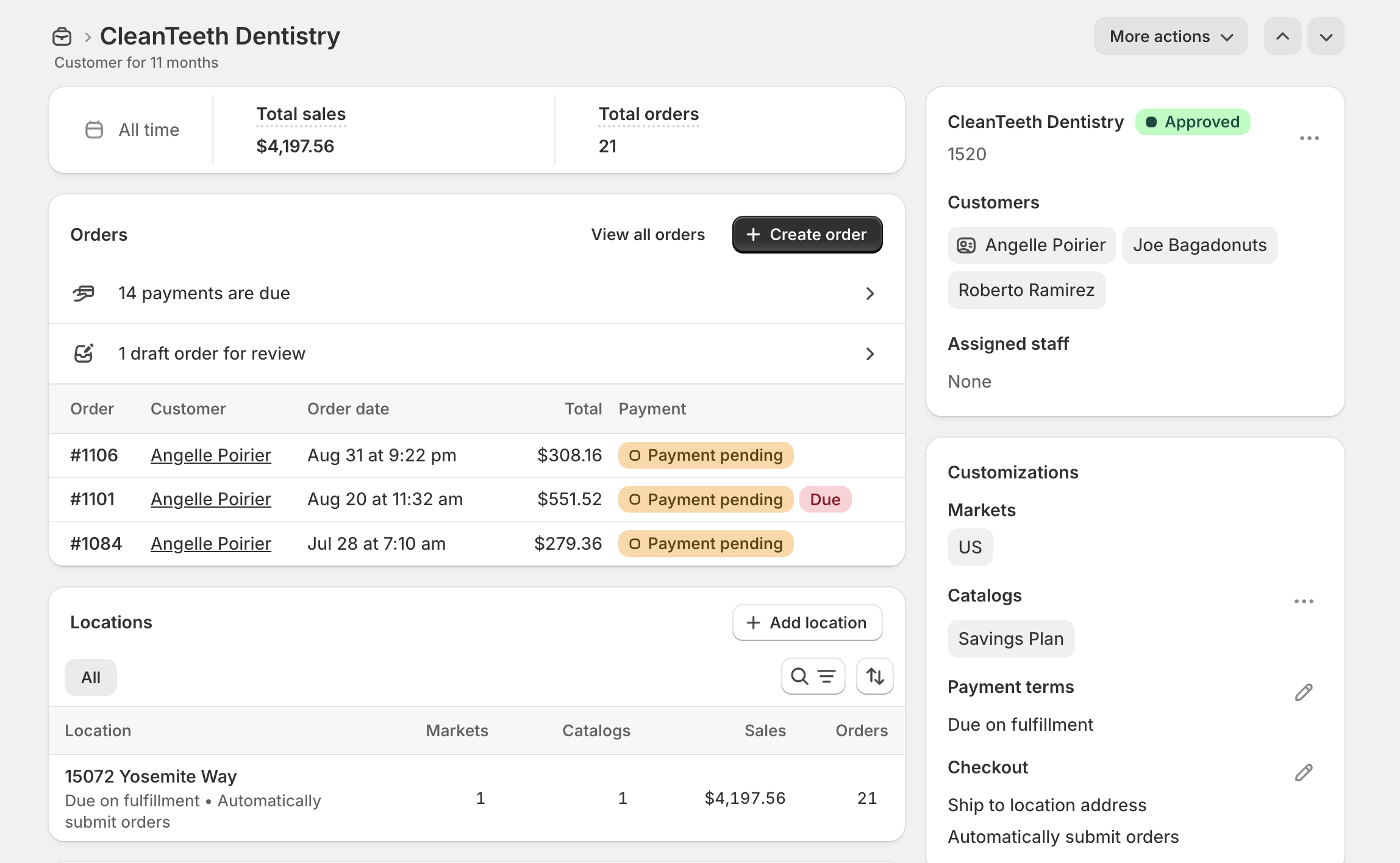
For each account you want to put on Autoship, you need all four of these:
| What | Where | Why Autoship needs it |
| A company | Customers > Companies | The account itself - the thing the recurring order belongs to |
| A Location | On the Company | Where the order ships, and which pricing and terms apply. |
| A Contact w permission to order for that Location | The person who logs in and sets up the recurring order | No ordering permission, no Autoship |
| Payment Terms and/or a saved payment method on the Location | Tied to the Company Location | Decides whether a renewal charges a saved card/ACH or creates a net-terms invoice (see section 2) |
Here's an account that's ready — one company, one location, three contacts, payment terms set:
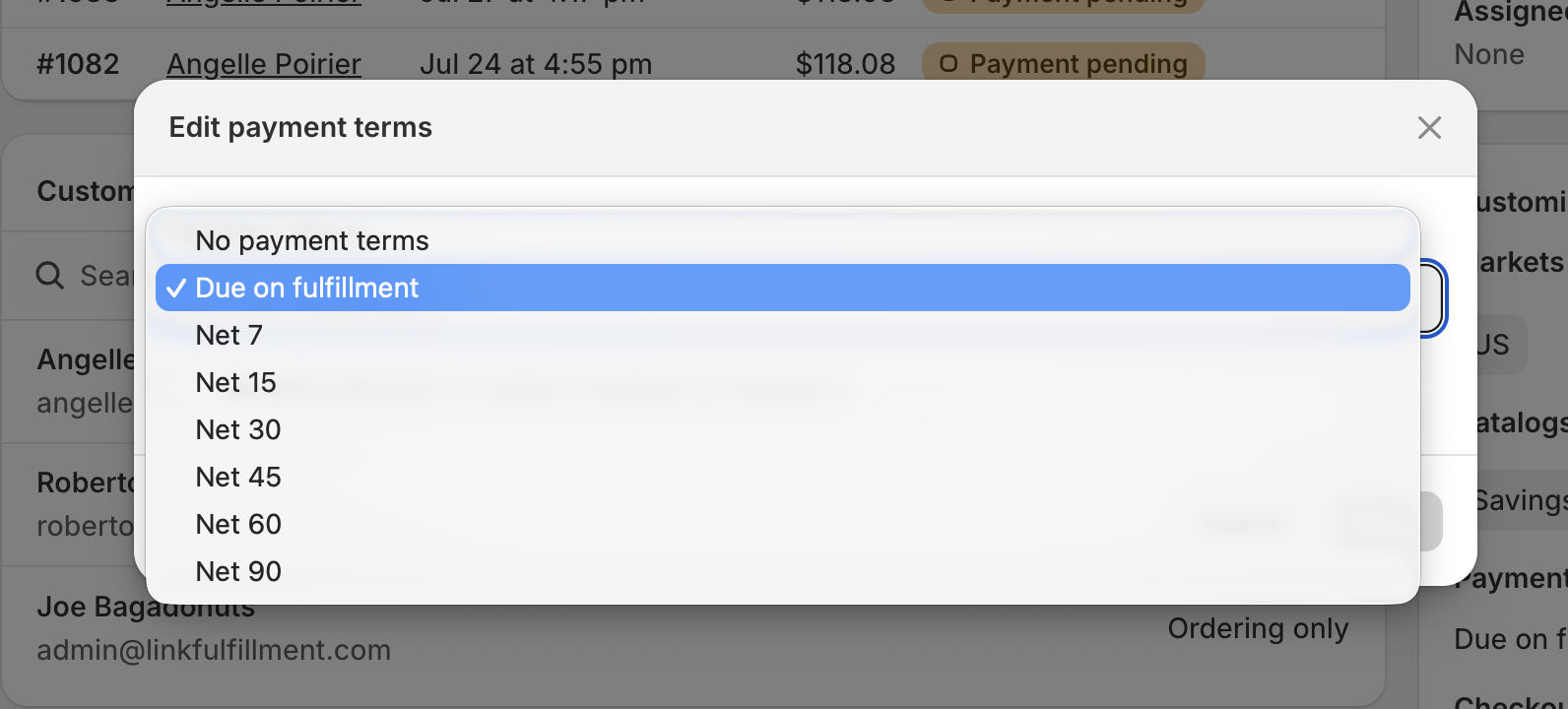
Payment terms are set per location. Shopify gives you Due on fulfillment or Net 7 through Net 90, and optionally a deposit requirement:
How to check: Customers → Companies in your Shopify admin. Open one of your accounts and confirm it has a location, at least one contact who can order for that location, and payment terms.
The Autoship in 5 Onboarding will check this for you!
4. That account has a catalog it can buy from
A wholesale account sees and buys from the catalog(s) assigned to its location. For Autoship to create recurring orders for an account, that location needs at least one catalog that:
- contains the products you want available to that account, at that account's pricing (a percentage adjustment, fixed prices, volume pricing, or any combination), and
- has a publication attached. Without a publication, the buyer logs in and sees no products.
Autoship reads whatever price Shopify shows the logged-in buyer — including company-specific catalog pricing — and uses it as the base price for their recurring orders. You don't need a separate catalog for every account to get started; the accounts and catalogs you already sell through are enough, and you can add more as you go.
How to check: Markets → Catalogs in your Shopify admin. Open a catalog, confirm it's assigned to the company location and that a publication is set.
The Autoship in 5 Onboarding will check this for you! You create a test catalog to use for onboarding vs an existing one as well.
5. A buyer for that account can already check out on your storefront
This is the real test. If a contact for that company can log in to your storefront, see their catalog pricing, add products to the cart and complete checkout — as a draft for your review or as an automatically submitted order, whichever the location is set to — then Autoship has everything it needs to attach a recurring schedule to that purchase.
Make sure:
- The contact can actually log in and order. That's the company, location, permission and catalog work from sections 3 and 4 coming together.
How to check: Create a test contact, then log in to your storefront and place a small order.
Next steps
All five true → install Autoship Cloud from the Shopify App Store, subscribe to the Autoship B2B plan, and follow the guided Autoship in 5 Onboarding. Once you're subscribed, you can also book an onboarding session with us.
Something you couldn't confirm? Send us your store URL and which of the five points you're unsure about, and we'll check it with you.